Let’s be direct. You’re not just shopping for a gadget; you’re investing in a reliable witness for your car. The goal is simple: to protect yourself from hit-and-runs, insurance disputes, and fraudulent claims without complicating your life or blowing your budget.
You’re asking the right question: What is the best dash cam under $100?
Here’s the thing: the sub-$100 market is crowded, but only a handful of models deliver the crucial combination of crystal-clear evidence, reliability, and ease of use. We’ve moved beyond just reading specs. We’ve tested the top contenders head-to-head, comparing real video footage in day and night conditions to separate the true values from the marketing hype.
Consider this your strategic briefing. We have no brand affiliations. Our goal is to give you the unvarnished data and clear recommendations you need to make a confident purchase.
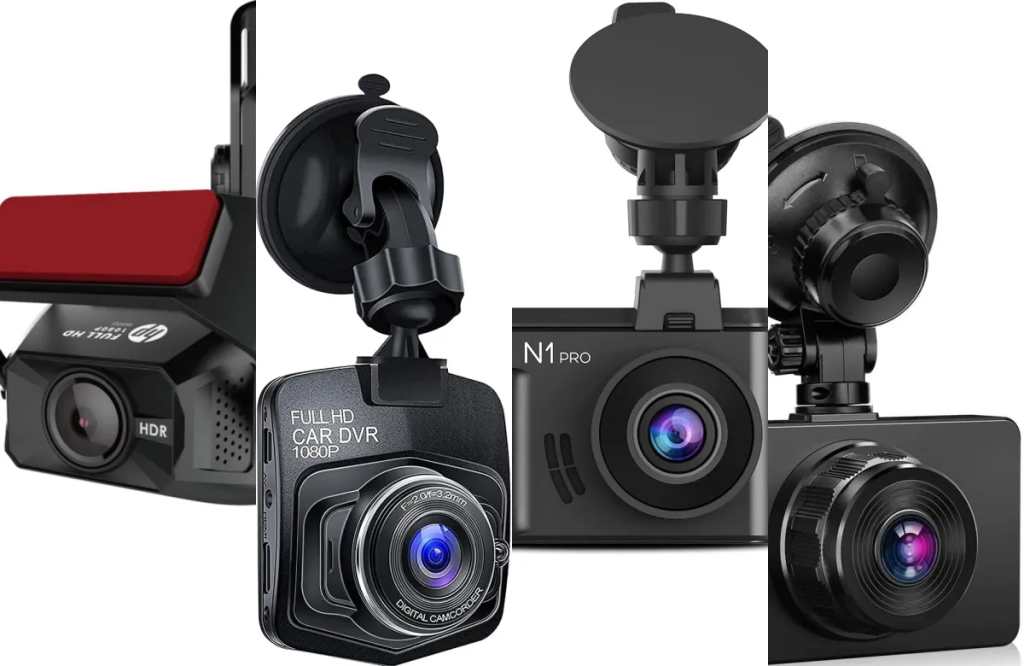
The Dash Cam Tech Briefing: What Actually Matters Under $100
Before we get to the models, let’s talk about the core components. Understanding this will transform you from a passive browser into an informed buyer. It’s about knowing where the quality is built in.
1. The Sensor & Lens: The “Eyes” of the System
This is where image quality begins.
- The Sensor: Think of this as the camera’s retina. In low-light conditions, a Sony Starvis sensor is the industry benchmark. These sensors are specifically designed for superior night vision, capturing more light and clearer details than generic sensors. It’s the first spec we look for.
- The Aperture (f-stop): This is the “pupil” of the lens. A wider aperture (like f/1.8) lets in more light than a narrower one (like f/2.2). In short, a lower f-number means better night performance.
- Viewing Angle: 140-150 degrees is the sweet spot. It’s wide enough to capture multiple lanes of traffic, but not so wide that it creates a distracting “fishbowl” effect that makes details in the distance tiny and hard to see.
2. Video Resolution: Beyond the “4K” Label
Resolution is important, but it’s not the whole story.
- 1080p (Full HD) is the absolute minimum. It’s decent, but reading license plates at a distance can be challenging.
- 1440p (2K Quad HD) is the current sweet spot for value. It offers a significant jump in detail over 1080p without the large file sizes of 4K, making it easier to see critical details.
- The Bitrate Secret: This is what most reviews miss. Bitrate is the amount of data used per second of video. A high bitrate means less compression, which preserves more detail, especially when cars are moving at high speed. A 4K camera with a low bitrate will look worse than a 1440p camera with a high bitrate.
3. Power & Reliability: The Unsung Hero
This is a critical durability factor often overlooked.
- Supercapacitor vs. Lithium-Ion Battery: Your car’s interior is an extreme environment. Supercapacitors are far more resilient to heat and cold than lithium-ion batteries, which can swell, fail, or even become a hazard in high temperatures. A supercapacitor might only hold a charge for a few seconds, but that’s all it needs to safely save the last video file when you turn off your car. For a “set-it-and-forget-it” device, this is a non-negotiable feature for long-term reliability.
4. The Core Features: Your Operational Checklist
- Loop Recording & G-Sensor: This is the basic functionality. The camera continuously records in short clips, overwriting the oldest files. The G-Sensor detects impacts and automatically locks the current video file, protecting it as evidence.
- Wi-Fi & App: This isn’t just a bonus; it’s a game-changer for usability. It lets you instantly view, download, and share footage from your phone without fumbling with the memory card.
The Tested Selection: Top Dash Cams Under $100, Categorized by Strength
This isn’t just a list; it’s a curated portfolio. Each model excels in a specific area, ensuring there’s a perfect fit for your primary need.
The Overall Champion: Vantrue E2
If your priority is the best possible video evidence day and night, the Vantrue E2 is your top contender.
- Why It Wins: It combines the critical trio: a Sony Starvis sensor, a wide f/1.4 aperture, and crisp 1440p resolution. This combination delivers exceptional clarity and standout low-light performance that consistently beats competitors in its class.
- In-Depth Performance: The video is sharp, colors are accurate, and the level of detail makes reading license plates reliable. The built-in Wi-Fi and supercapacitor make it a complete, reliable package.
- The Practical Take: You’re getting a feature set and image quality that challenges cameras costing $50 more. It’s the workhorse you can install and trust completely.
- Best For: The driver who won’t compromise on video evidence quality.
The Value King: Vantrue E1
This model proves that sometimes, less is more. If your goal is pure video performance on a budget, the E1 is arguably the smartest buy on the market.
- Why It Wins: It takes the same stellar Sony Starvis sensor and 1440p resolution from the E2 and removes the Wi-Fi to hit a lower price point. You are allocating your entire budget to the single most important thing: the quality of the video evidence.
- In-Depth Performance: The daytime and night video footage is nearly identical to the E2. To manage your footage, you simply remove the memory card and plug it into your computer.
- The Practical Take: This is for the purist who wants the sharpest video for the money and doesn’t mind a slightly less convenient workflow for reviewing footage.
- Best For: The budget-focused buyer who wants maximum performance per dollar.
The Set-and-Forget Specialist: Garmin Dash Cam Mini 2
For those who want peace of mind with absolute minimal fuss, the Garmin Mini 2 is in a class of its own.
- Why It Wins: Its genius is in its simplicity and tiny form factor. It’s so small it tucks completely behind your rearview mirror, becoming invisible from the driver’s seat. It uses voice commands and automatically saves incidents, requiring almost no interaction.
- In-Depth Performance: While it’s “only” 1080p, the video is more than adequate for capturing clear evidence of events. Its strength is its brilliant automatic operation and the excellent Garmin Drive app.
- The Practical Take: You install it once and literally forget it’s there. It’s the ultimate “set-it-and-forget-it” solution that’s always working in the background.
- Best For: Anyone who values a discreet, simple, and automated experience above all else.
At-a-Glance Comparison: Side-by-Side Specs & Scores
| Model | Best For | Resolution | Key Feature | Night Vision | Ease of Use | Value Score |
|---|---|---|---|---|---|---|
| Vantrue E2 | Overall Best | 1440p | Sony Starvis + f/1.4 | 10/10 | 9/10 | 9.5/10 |
| Vantrue E1 | Pure Value | 1440p | Sony Starvis (No Wi-Fi) | 10/10 | 7/10 | 10/10 |
| Garmin Mini 2 | Easy & Discreet | 1080p | Tiny Size, Voice Control | 8/10 | 10/10 | 8.5/10 |
The Smart Buyer’s Playbook: Installation, Accessories & Setup
Your strategy doesn’t end with choosing the camera. Here’s how to execute a successful deployment.
- The 5-Minute Installation:
- Mount the camera to your windshield, behind the rearview mirror.
- Route the power cable along the top of the windshield, tucking it into the headliner.
- Continue routing down the A-pillar (side of the windshield), carefully tucking the cable under the rubber seal.
- Run the cable along the door sill and under the floor mat to your 12V power outlet (cigarette lighter). It’s simple, requires no tools, and keeps your car looking clean.
- The Must-Have Accessory: A High-Endurance microSD Card.
This is not a suggestion; it’s a requirement. Standard microSD cards are not designed for the constant writing and rewriting in a dash cam and will fail prematurely. You need a card built for continuous recording.- Our Recommendation: A Samsung PRO Endurance or SanDisk High Endurance card in 64GB or 128GB capacity.
- Unlocking Parking Mode: The Hardwiring Kit.
If you want your dash cam to monitor your car while it’s parked, you’ll need a hardwiring kit. This taps into your car’s fuse box for power. It’s a more advanced installation, but it’s the only way to enable true parking mode without draining your main battery.
Ready to Drive with Confidence?
You now have the intelligence. The Vantrue E2 offers the best all-around performance, the Vantrue E1 delivers unmatched value, and the Garmin Mini 2 provides the ultimate in discreet simplicity.
Don’t wait for an incident to happen to wish you had a dash cam. The right time to install one was yesterday. The second-best time is now.
Your Dash Cam Questions, Answered (FAQ)
Q: How do I prevent my dash cam from draining my car’s battery?
A: For basic operation, it won’t—it only powers on when your car is on. For 24/7 parking mode, you must use a hardwiring kit with a low-voltage cut-off feature. This monitor’s your car’s battery and will automatically shut the camera off before it drains enough to prevent your car from starting.
Q: Is a 4K dash cam worth it under $100?
A: Generally, no. At this budget, achieving true, high-quality 4K often means compromising on the sensor quality or bitrate. You’ll end up with larger file sizes but not necessarily more usable detail. We find a high-bitrate 1440p recording from a quality sensor is almost always better.
Q: How often should I format the memory card?
A: It’s good practice to format the card in the dash cam itself (not your computer) every one to two months. This clears out any minor file corruption and ensures recording reliability.
Q: The suction cup fell off my windshield. What’s a better mount?
A: This is a common issue in temperature extremes. The best solution is a 3M adhesive mount. They’re cheap, incredibly secure, and most dash cams are compatible with them. They’re a permanent solution, but they’re far more reliable.
Q: Can I use the footage as evidence in court or with my insurer?
A: In the vast majority of cases, yes. Dash cam footage is widely accepted by insurance companies and in legal proceedings as credible evidence. Just ensure the date and time stamp on your video are accurate.

